Trinity Enhanced coming soon

Your IPTV, done beautifully.

Bring your Stalker, Xtream or M3U line. Trinity turns it into a fast, cinematic living-room experience — with a guide that feels right on the remote.

M3U Xtream Codes Stalker Portal
Trinity TV guide with the signature LCD clock
Works withStalker / MinistraXtream CodesM3U / M3U8 ·AI-poweredCloud backup100% on-device privacy
Make it yours

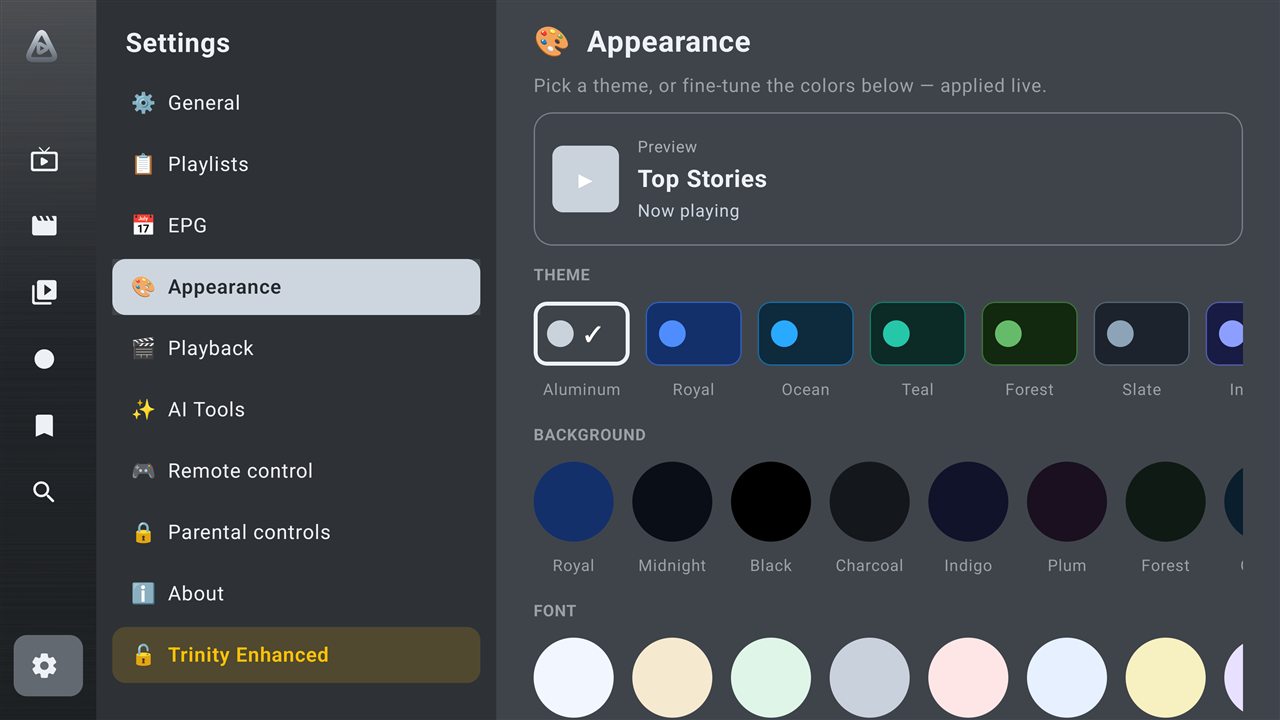
A brushed-metal look, tuned to you.

Trinity's signature Aluminum theme gives everything a premium finish — or pick your own background, font and accent, applied live. Fully remappable remote keys, too.

  • Signature brushed-aluminum theme + a dozen presets
  • Custom background, font & accent colours
  • Fully remappable guide & player keys
Trinity Appearance themes
New
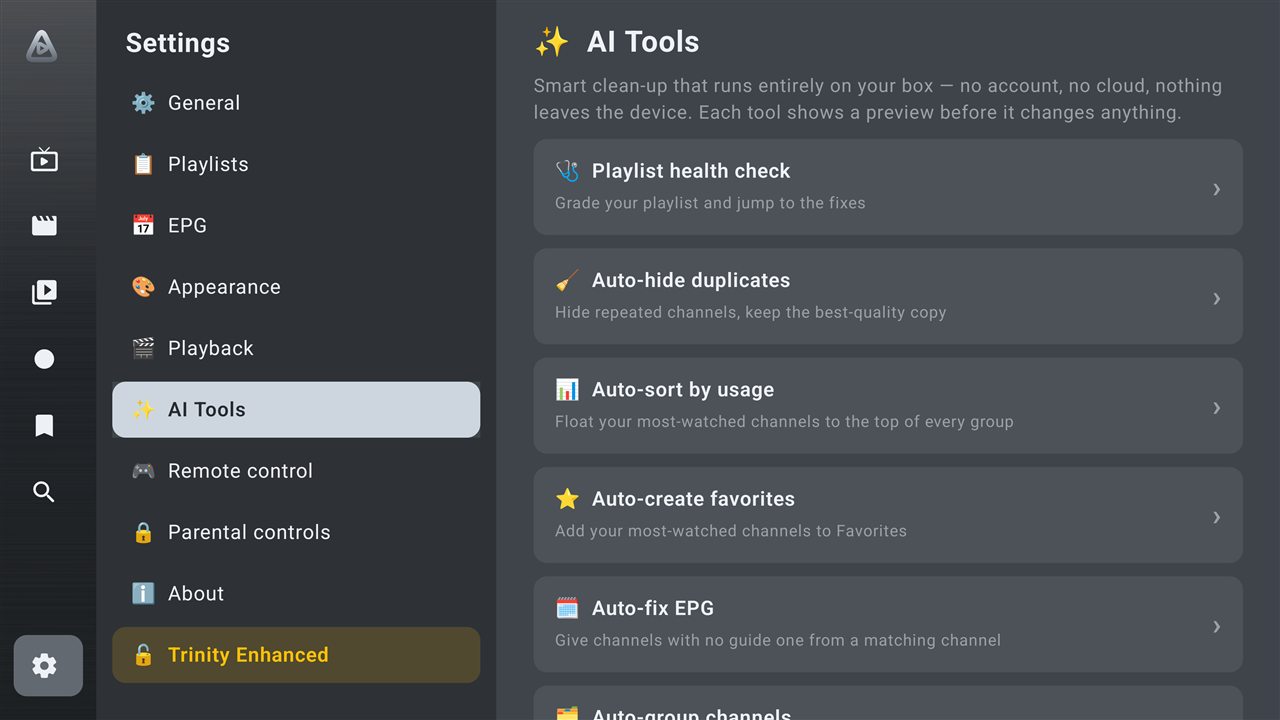
AI Tools

Smart clean-up that runs entirely on your box.

Messy playlist? Trinity fixes it in a tap — no account, no cloud, nothing leaves your device. Every tool previews before it changes a thing.

  • Auto-hide duplicates, keeping the best-quality copy
  • Auto-sort by usage & auto-create favorites
  • Auto-fix missing EPG by matching channel names
  • Instant, offline, private — your data stays yours
Trinity AI Tools — on-device clean-up
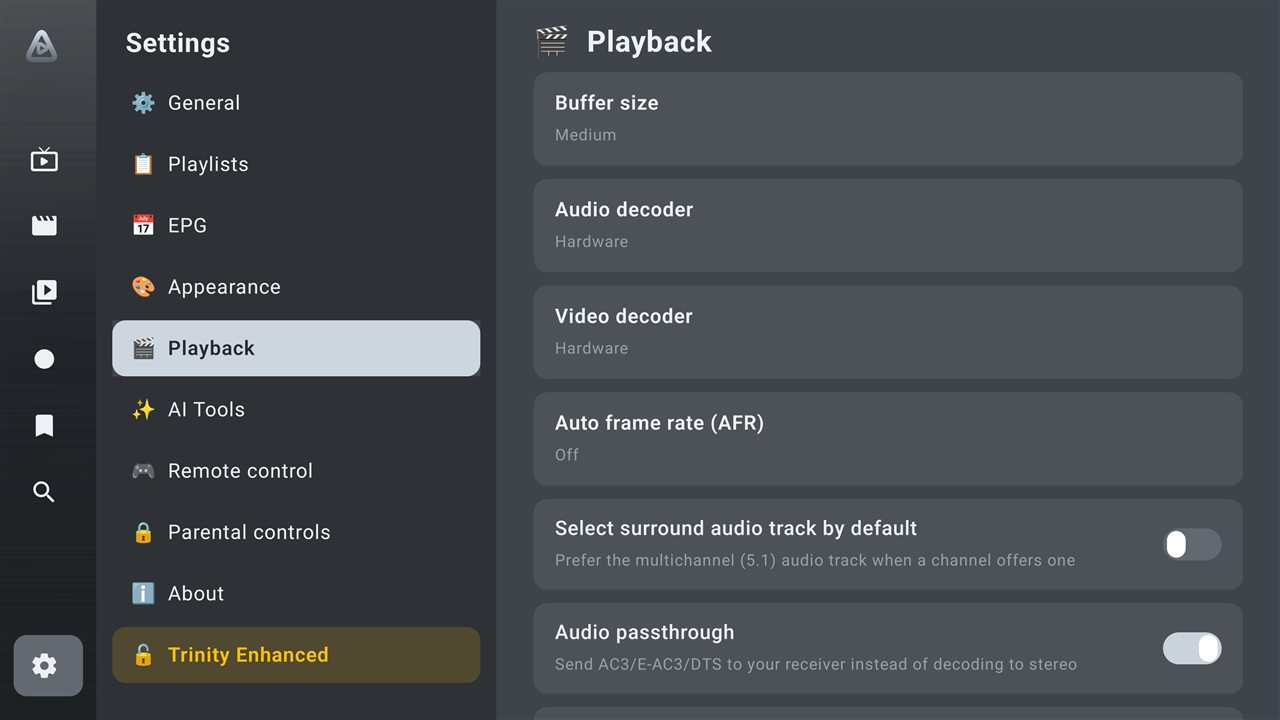
Playback & quality

Tune every stream to your box.

Buffer size, hardware or software decoders, auto frame-rate matching, surround and passthrough — the controls power users actually want, on any device.

  • Buffer size, audio/video decoder & tunneled playback
  • Auto frame rate (AFR) for judder-free motion
  • Fully remappable remote keys for the guide & player
Trinity playback settings
New
Multiview

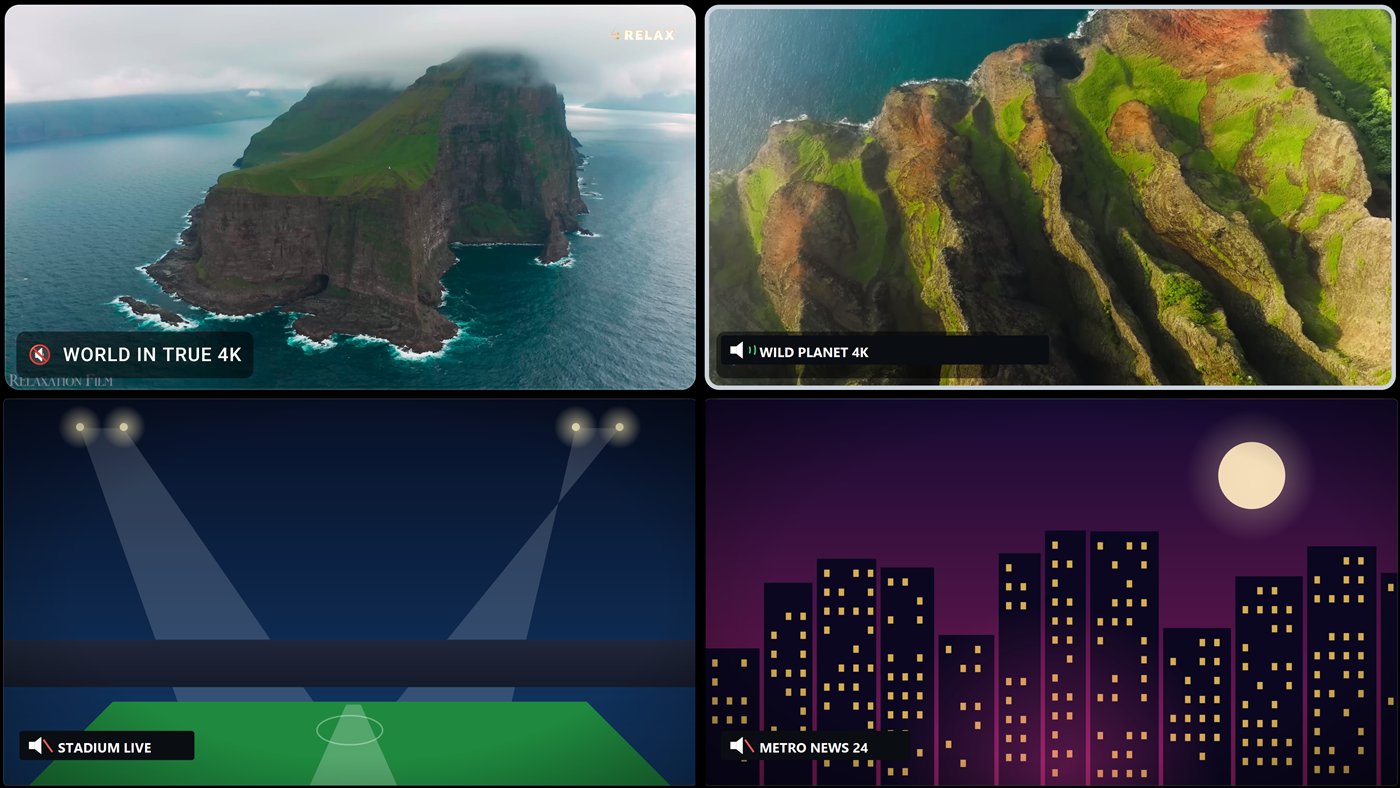
Watch four channels at once.

Split the screen into two or four live channels and keep them all in view. Move between screens with the remote — the sound follows wherever you land — or blow any window up to full screen in a click.

  • 2-up or 4-up live splits, all playing at once
  • Sound follows the screen you're on
  • Add, change or full-screen any window on the fly
Trinity Multiview — four live channels at once
New
Cloud Backup

New box? You're set up in seconds.

Back up your whole profile to the cloud and get a short code. On the new device, enter it — everything returns exactly as you left it. No USB, no re-configuring.

  • Every setting, playlist, favorite, group & theme restored
  • Just a short code — no account or wiring
  • Prefer offline? Full USB / SD backup is built in too
☁ Back up to cloud
Your transfer code — enter it on any box to restore
7F3K · 9Q2M
📺 Old box☁ Cloud📺 New box
Simple setup

Add your line. Start watching.

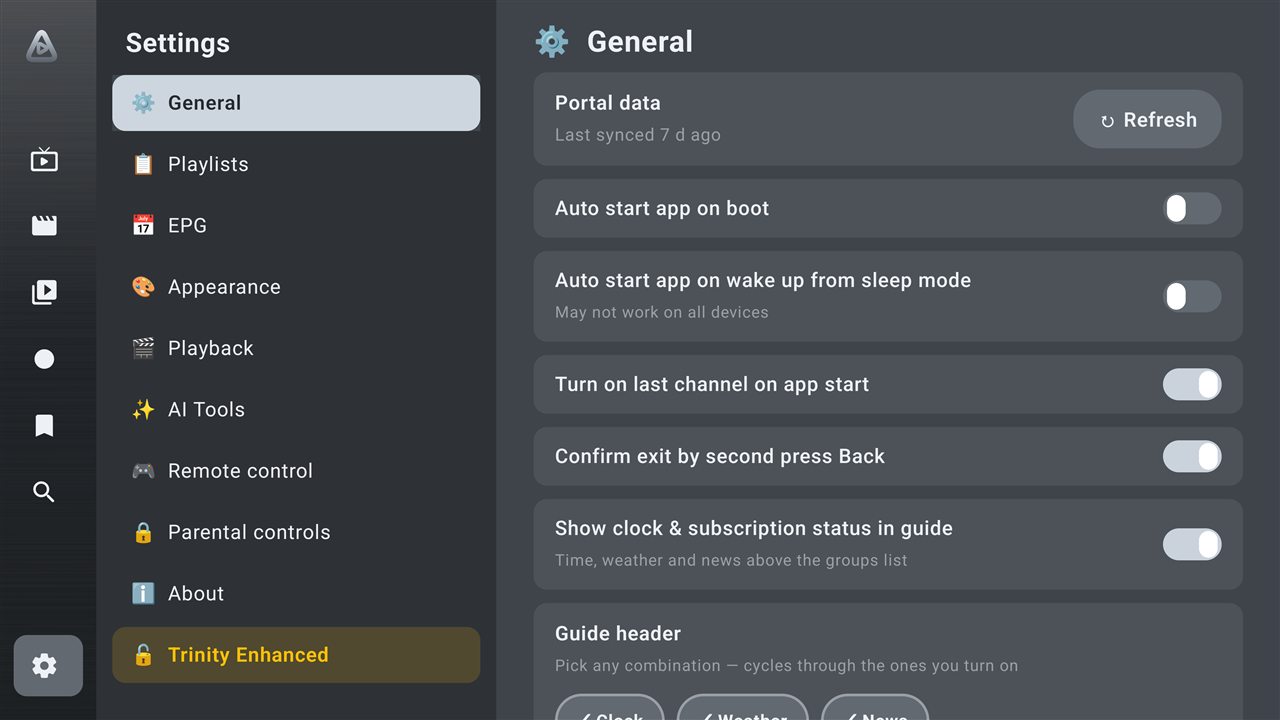
Paste a Stalker portal, Xtream login or M3U URL and Trinity does the rest — channels, groups and guide ready in about a minute. Tweak anything, anytime.

  • Stalker / Ministra, Xtream Codes and M3U / M3U8
  • Auto-start on boot & resume your last channel
  • Back up to the cloud or USB whenever you like
Trinity setup and general settings
Why Trinity

Reasons to make the switch.

Bring the line you already pay for — Trinity makes it faster, cleaner and genuinely nicer to live with than anything else on your TV.

AI clean-up no one else has

Hide duplicates, build favorites, fix EPG and sort by what you actually watch — on-device, private, instant.

Switch boxes in seconds

Back up to the cloud, get a short code, restore everything on a new device. No cables, no re-setup.

🩺

Know your playlist is healthy

A one-tap score finds dead channels, missing guides and duplicates — then jumps you to the fix.

🎛

Made for the remote

Buttery D-pad navigation, fully remappable keys, and a brushed-metal interface that looks the part.

🚫

No ads, ever

You bring the content; Trinity just plays it beautifully. No banners, no tracking, no nonsense.

Works with your line

Stalker / Ministra, Xtream Codes and M3U / M3U8 — add it once and you're watching.

Everything you need

Powerful, but never in your way.

NEW

On-device AI Tools

Auto-hide duplicates, sort by usage, build favorites and fix EPG — instantly and privately.

NEW

Cloud backup & restore

A short transfer code brings your whole profile to a new box in seconds.

NEW
🩺

Playlist health check

A health score plus a deep stream scan that catches dead channels and gaps.

Catch-up & recordings

Watch a past programme from the guide, or record live TV to revisit later.

🎛

Remappable remote

Reassign guide & player keys to the actions you want, with restore-to-defaults.

🎨

Brushed-metal themes

Signature Aluminum look, plus pick your own background, font and accent — live.

Switching players?

A modern alternative to TiviMate, IPTV Smarters & STB Emulator

Already use another IPTV player on your Android TV or Fire Stick? Trinity feels instantly familiar — the live EPG guide, favorites, catch-up and a fully remappable remote — then goes further with multiview, on-device AI clean-up and one-code cloud backup, all built in.

Coming from TiviMate?

Keep the fast, remote-first EPG guide you love — and get 2- and 4-screen multiview plus AI playlist clean-up built in, with no premium paywall.

Coming from IPTV Smarters?

The same easy Xtream & M3U setup in a more premium Android-TV interface — with a proper guide, a playlist health check and cloud profile backup.

📺

Coming from STB Emulator?

Native Stalker / Ministra portal support like your STB — plus Xtream Codes and M3U — wrapped in a modern, brushed-aluminum UI.

Trinity Enhanced coming soon

Get Trinity. Watch in minutes.

Download the APK, sideload it on your Android TV device, add your line, and start watching in minutes. Trinity Enhanced (advanced extras) arrives soon.

Android TV / Google TV · Sideload via a file manager or USB · v3.86 · Coming soon to Google Play

📺 Get it on Android TV / Fire Stick

No web browser on your TV box? Sideload Trinity in a minute with the Downloader app (by AFTVnews):

  1. Install Downloader from the Google Play Store or Amazon Appstore.
  2. Open it and enter code 1318384  — or type trinitytvplayer.com/tv
  3. Press Go, then Install when it downloads (allow “unknown sources” if prompted).